
The Independent: Breaking News
Independent Digital News & Media LimitedNews & Magazines
4.139.00 Reviews
- Version
- 3.0.22
- Installs
- 10.00K
- Age Rating
- Teen
Screenshots

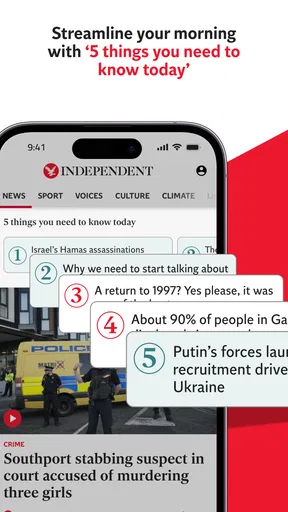
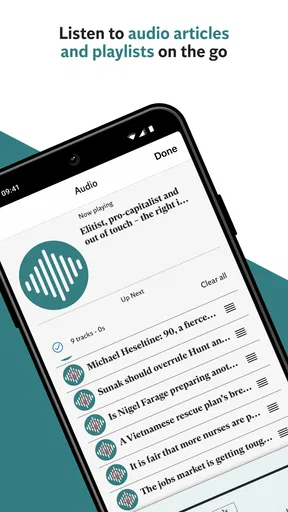
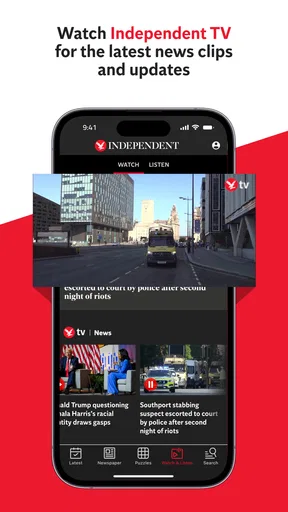
Our Review of The Independent: Breaking News
 Analysis by Appyee
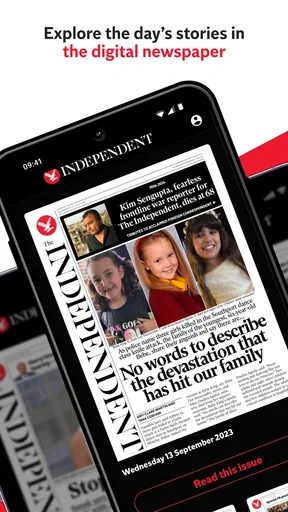
I use news apps differently depending on the day. Sometimes I want a quick scan before work; other times I need enough context to understand a developing story without jumping between several websites. The Independent: Breaking News is aimed at that first need while still giving the publication’s wider reporting a place on my phone. It is a free News & Magazines app from Independent Digital News & Media Limited, with coverage intended for readers interested in world, US, UK and sport news.
My overall impression is that it works best as a focused reading companion rather than as my only source for every kind of information. The app makes it convenient to keep one publication close, but the experience depends heavily on how you manage notifications, reading habits and the point at which you decide to look for a second source. If you treat it as a reliable front door to The Independent’s journalism instead of a complete replacement for the wider news ecosystem, its strengths become much clearer.
How I use the app from the first morning check to a deeper read
I start with a brief morning scan, then return only when a story merits more attention. This section follows that routine from headline discovery to a more deliberate read, with a useful pause between the two: deciding what you need to learn before opening an article. That small step keeps a developing news story from setting the pace for the rest of my day.
A practical baseline workflow for everyday news
My usual routine starts with a short opening session. I check the latest headlines, look for the stories that affect my day and avoid trying to read everything immediately. That simple approach suits this app because a news feed can become noisy when every headline feels equally urgent. I find it more useful to identify two or three articles worth my attention, then return later if a story develops.
For a commuter, student or office worker, that workflow is easy to repeat. A quick scan can help you decide whether a story deserves a full read, while a longer session later gives you time for analysis or sport coverage. I would not use it as a substitute for checking local information during an emergency, but it is convenient for keeping up with broad national and international reporting during ordinary days.
The app’s subject range is one of its practical advantages. World, US and UK stories sit alongside sport, so I can move from a major international event to a domestic update without opening a separate publication. That variety is useful when my interests change throughout the day, although it also means I need to be deliberate. If I only want sport, the general news environment may feel less direct than a dedicated sports app.
I also like the distinction between seeing a headline and committing to an article. A headline scan is useful when time is limited, but it is not a complete understanding of an event. My habit is to read the opening section, check whether the article provides the context I need and then decide whether to continue. This prevents the common mistake of treating a fast-moving news feed as if it were a finished account.
The most useful habit is to separate discovery from understanding. I use the app to discover what has changed, then slow down for the stories where details, chronology or competing viewpoints matter. That approach makes the experience feel calmer and helps avoid reacting to every notification or striking headline.
What the reading experience is good at
The strongest reason to install this app is convenience. It puts the publication’s reporting in a single mobile destination, which is easier than repeatedly searching for the same outlet in a browser. The format is especially pleasant for readers who already know they enjoy The Independent’s style and want a direct way to check its latest coverage.
It is also a reasonable choice for someone building a simple daily news routine. Instead of opening several apps first thing in the morning, I can begin with one publication and then decide whether anything requires broader research. That reduces friction, particularly on a small phone where switching between browser tabs is less comfortable.
Still, I would not describe the app as a universal news dashboard. A publication-centered app naturally reflects one editorial voice and one selection of stories. That can be a benefit when you want consistency, but it is a limitation when you need a broad comparison of how different outlets frame the same event. For major political, scientific or international stories, I prefer to treat the app as one informed viewpoint rather than the final word.
Settings I would check before settling into a routine
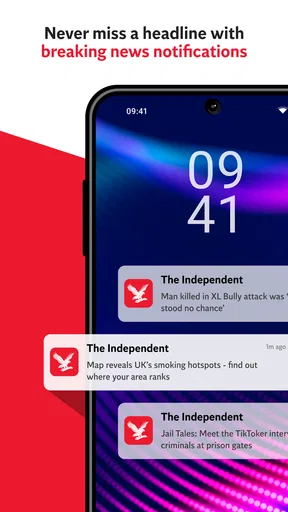
Notifications deserve attention before anything else. Breaking alerts can be useful when you genuinely want immediate updates, but they can also turn a quiet phone into a constant stream of interruptions. I would begin conservatively, keeping only the alerts that match my actual interests. If I mainly read UK news and sport, receiving every possible update may make the app feel more intrusive than helpful.
My advice is to test your notification choices over several days rather than judging them after the first hour. A notification that seems useful during a major event may become distracting during a normal workday. If alerts repeatedly pull you into articles you did not intend to read, reducing them is not a loss of functionality; it is a way to protect the reading routine you installed the app to support.
I would also inspect the app’s available reading preferences when first setting it up, particularly anything related to alerts, account access or content presentation. I do not recommend assuming that default settings are ideal for everyone. A person who wants a morning digest has different needs from someone who follows live developments, and the right balance comes from adjusting the app to those habits rather than accepting every prompt.
Another worthwhile check is how the app behaves on your particular phone and connection. News reading often happens in weak-signal places such as trains, cafés or crowded public areas. I prefer to open important articles while I have a stable connection instead of assuming that every story will remain equally accessible later. That is a small but realistic adjustment for anyone who reads on the move.
The age classification is Teen, which makes the app broadly suitable for older children and adults, though news itself can include difficult or upsetting subjects. Parents should still consider whether the child is ready to encounter coverage of violence, disasters, politics or other serious events. An age label does not remove the need for judgment when the content changes throughout the day.
Faster patterns that make the app less distracting
I get more from the app when I use repeatable patterns instead of opening it randomly. My preferred pattern is a short morning scan, a deliberate midday check only if a major story is developing, and a longer evening read for articles that deserve context. This prevents the app from becoming a reflexive refresh button and gives each session a clear purpose.
Another useful pattern is to read by decision value. I ask whether an article will change what I need to do, improve my understanding or simply satisfy curiosity. All three reasons are valid, but they deserve different amounts of time. A quick curiosity read can stay brief, while a story connected to travel, work or family decisions deserves more careful attention and, when appropriate, confirmation elsewhere.
For sport readers, I would separate match-related checking from general news browsing. Opening the app for a result or update can easily turn into an hour of unrelated reading. If I have limited time, I look for the specific information I came for, then leave. This sounds obvious, but it is one of the easiest ways to keep a news app useful rather than letting it consume every spare moment.
I also find it helpful to keep a mental distinction between a developing report and a settled explanation. Early coverage can change as new information arrives. When an article concerns a fast-moving event, I note the time and revisit the story later instead of assuming the first version will contain the complete picture. This is not a special feature of the app; it is a reading discipline that matters particularly in breaking news.
A further shortcut is to use the app as a starting point for questions. If a headline raises an important issue, I write down what I still need to know before searching elsewhere. That produces better follow-up research than opening several tabs without a clear goal. It also helps me notice when I am looking for confirmation rather than information.
Where the experience has limits
The app is not the right choice for readers who expect a fully customizable news aggregator. Its value comes from following The Independent’s coverage, not from combining every publication, specialist feed and local source in one place. If your priority is comparing headlines across many outlets, an aggregator or browser-based routine will probably suit you better.
It may also disappoint users who want a purely local news service. World, US and UK coverage gives the app a broad reach, but broad coverage is not the same as detailed reporting for one town, county or neighborhood. I would pair it with a local source if nearby transport, schools, weather or community decisions are central to your daily life.
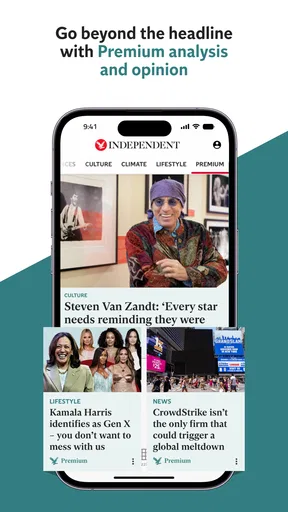
There is another trade-off around paid content. The app itself is free to install, but it includes in-app purchases ranging from $9.99 to $174.99 per item. That means I would check what reading access is available before building my entire news routine around it. A free download does not automatically mean every part of the experience will remain free, so users who want predictable costs should review purchase prompts carefully and avoid subscribing impulsively during an interesting story.
This is particularly important for casual readers. If you only check headlines occasionally, a paid option may not offer enough value for your habits. Regular readers who appreciate the publication and want a deeper relationship with its journalism may view the cost differently, but the decision should come from actual reading frequency rather than the excitement of a single breaking event.
Performance expectations should also be realistic. The current version is 3.0.22 and requires Android 8.0 or later, so compatibility is reasonably accessible for many Android users, but older devices outside that requirement will not be suitable. I would check the operating-system requirement before planning an installation on a spare or aging phone. On a supported device, the more important question is whether the app fits your connection, battery and notification habits.
How it compares with browser reading and other news apps
Compared with reading The Independent in a mobile browser, the app feels more intentional. A dedicated app is easier to place into a morning routine and reduces the temptation to wander through unrelated browser tabs. The browser remains better when I want to compare several outlets quickly, search broadly or avoid adding another app to my phone.
Compared with a general news aggregator, this app offers less breadth but more editorial consistency. An aggregator can show several perspectives on one subject and often makes it easier to discover small publishers. The Independent’s app is better when I already trust the publication’s approach and want a clean route to its world, US, UK and sport reporting without building my own feed.
Compared with a specialist sports app, it is more balanced but less focused. I would choose a dedicated sports service for fixtures, detailed statistics or highly specific league coverage. I would choose this app when sport is one part of a wider news habit and I also want general reporting in the same place.
That comparison leads to a simple recommendation: install it if you value one recognizable publication and want a repeatable mobile reading routine. Skip it if your main goal is maximum source diversity, hyperlocal information or deep specialist tools. Neither choice is universally better; the right option depends on whether consistency or breadth matters more to you.
Who will get the most from it?
I think the app suits busy readers who want a dependable first check without assembling a complicated system. It also works for people who follow both general news and sport and would rather keep those interests together. Students may appreciate it as a convenient way to encounter current affairs, provided they learn to distinguish reporting from their own research and do not rely on one outlet for every assignment.
It is less suitable for someone who dislikes alerts, rarely reads articles beyond headlines or wants every story filtered by a narrow topic. Those users may find a browser bookmark, a specialist app or a carefully configured aggregator more efficient. Likewise, readers who need extensive accessibility customization should test the actual reading experience on their device before committing to it as their main news tool.
The app’s rating is around 4.1 from roughly 128 ratings, with about 39 written reviews, and it has passed 10K+ installs. I read those figures as signs of a modest but real user base rather than proof that the app will suit everyone. The numbers can provide context, but my own decision would still depend on notification behavior, content access and whether The Independent is a publication I genuinely want to follow.
My mastery verdict after building a repeatable habit
After using it as a structured part of my day, I see The Independent: Breaking News as a solid publication-focused news app with a clear place in an Android news routine. Its strongest qualities are convenience, a broad mix of world, US, UK and sport coverage, and the ability to begin with one editorial source instead of an unfiltered stream.
Its weaknesses are just as practical. It cannot replace a multi-source research process, it may not satisfy local-news specialists, and the free installation should not be confused with unlimited free access because in-app purchases can be substantial. Notifications also need active management. Left at unsuitable defaults, they can make the experience feel demanding; adjusted to your schedule, they become much more useful.
My recommendation is to start with a restrained setup: allow only the alerts you are likely to act on, establish one or two reading windows and use the app for discovery before checking important claims through additional sources. That workflow gives the app a clear job and avoids expecting it to be a complete information system.
For readers who want The Independent close at hand, the free download makes trying it straightforward, and the Teen classification keeps its intended audience broad. I would recommend it to anyone who wants a convenient daily connection to this publication’s news and sport reporting. I would not recommend making it your only news source, but as a focused first stop with sensible settings and a repeatable routine, it earns a place on my phone.
Best fit: readers who prefer consistent coverage from one established publication and are willing to manage alerts, purchases and follow-up research thoughtfully.
Verdict
Strengths of The Independent: Breaking News
- Clear, trustworthy reporting from an established independent newsroom.
- Strong coverage of UK politics, global affairs, culture, and current events.
- Articles are generally well edited and easy to read on mobile devices.
- Useful breaking-news alerts help you stay informed about major developments.
- Audio, video, and visual content add variety beyond standard written articles.
Limitations of The Independent: Breaking News
- Many premium articles require a subscription to read in full.
- Frequent notifications may feel excessive unless carefully customized.
- Some content can be politically opinionated rather than strictly neutral.
- The app may use notable storage and data when loading multimedia content.
- Certain features and coverage may vary by region or subscription plan.
Similar Picks in This Category
View All
Google News - Daily Headlines
Google LLC4.0

X
X Corp.4.8

Flipboard:Your Social Magazine
Flipboard3.4

Opera News: breaking & local
Opera4.5

Hindi News by Dainik Bhaskar
Dainik Bhaskar Group4.0

Way2News Daily News App
Way2News ( Formerly Way2SMS )4.6
Frequently Asked Questions
What is The Independent: Breaking News app?
The Independent: Breaking News is the official mobile app for accessing reporting from The Independent. It brings together breaking news, politics, world events, business, culture, technology, lifestyle, travel, and opinion in a mobile-friendly format. After installing it, users can browse the latest headlines, open full articles, and follow developing stories from one central news feed rather than relying only on a mobile browser.
Is The Independent: Breaking News free to download and use?
The app can generally be downloaded free of charge, allowing users to access the application and read at least some news content without paying upfront. However, availability of articles, premium features, advertising, and subscription requirements can vary by region and change over time. Before subscribing, check the in-app terms carefully, including trial length, renewal price, cancellation rules, and whether your preferred stories require membership.
Does the app provide real-time breaking-news notifications?
The Independent: Breaking News may send alerts about major developing stories, important headlines, and significant events, depending on the notification settings enabled on your device. Notifications can be useful when you want immediate updates, but frequent alerts may become distracting. After installation, review the app’s notification controls and your phone’s system permissions so you can choose whether to receive all alerts, selected topics, or none.
Can I personalize the news shown in the app?
The app is designed to make The Independent’s coverage easier to follow, with sections and topic areas that help users find subjects such as world news, politics, sports, culture, and lifestyle. Personalization options may depend on the current version, account status, and location. It is worth exploring the menus, saved-content tools, and settings after signing in, because available features can differ between Android and iOS.
Does The Independent: Breaking News require an account or subscription?
You may be able to open the app and read selected content without creating an account, but some functions or articles can require registration or a paid subscription. An account may also be useful for synchronizing preferences, saving articles, or managing access across devices. Subscription availability and pricing differ by market, so review the checkout screen and renewal conditions before entering payment information.
